
Download MyTube BigPack 5 – download videos, convert videos, YouTube downloader, audio converter, video converter, MP4, FLV, MP3, AVI, online video tool
Overview
MyTube BigPack 5 is a mobile application designed to simplify the process of accessing, downloading, and converting video and audio content from various online platforms. Targeted primarily at media enthusiasts and users seeking offline access to digital content, the app streamlines workflows around video discovery and format management. It enables users to search for and retrieve individual videos within its trial version, offering a gateway to vast online libraries without relying on third-party websites or browser extensions.
The app’s purpose lies in bridging the gap between online content and personal device storage, making it ideal for individuals who want to save videos for later viewing or extract audio for use in personal projects. Real-world use cases include downloading educational lectures, music videos, or tutorial content for offline consumption—particularly useful in low-connectivity environments. While the developer, MyTube, is listed without additional background details, the app’s longevity since its release in 2013 suggests a stable presence in the mobile utility space.
As part of the broader video and audio tool ecosystem, MyTube BigPack 5 serves as a lightweight yet functional utility for users who prioritize control over their digital media. Its focus on format flexibility and ease of access positions it as a practical alternative to more complex media management software.
Key Features & Functionality
- Multi-format Support: The app supports a variety of video and audio formats for both downloading and conversion, including MP4, FLV, AVI, MP3, OGG, and WAV. This ensures compatibility across different devices and playback systems, allowing users to tailor content to their specific needs.
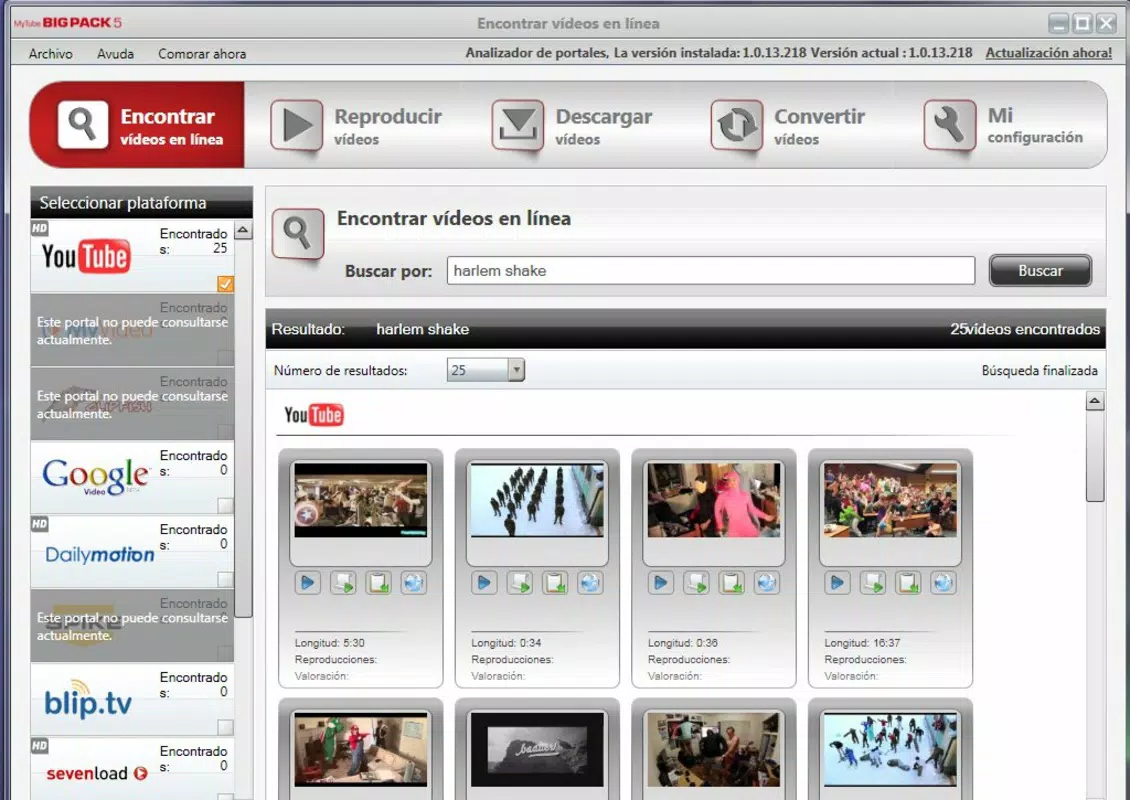
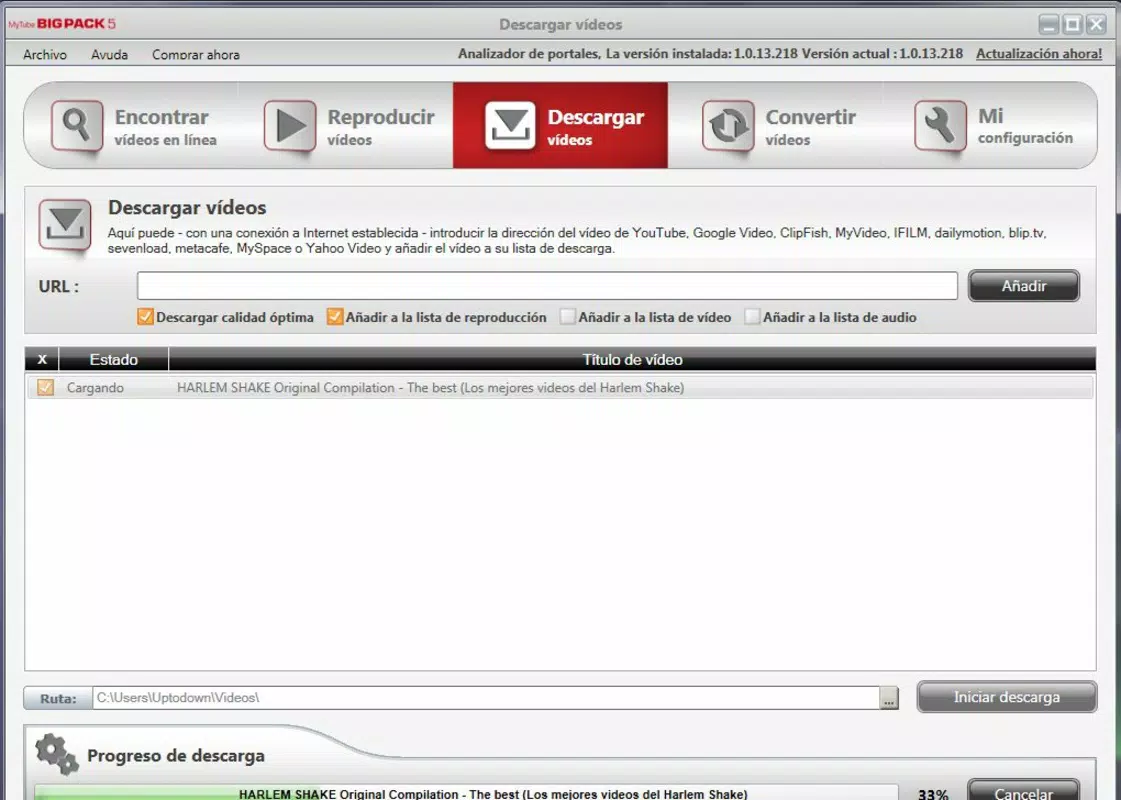
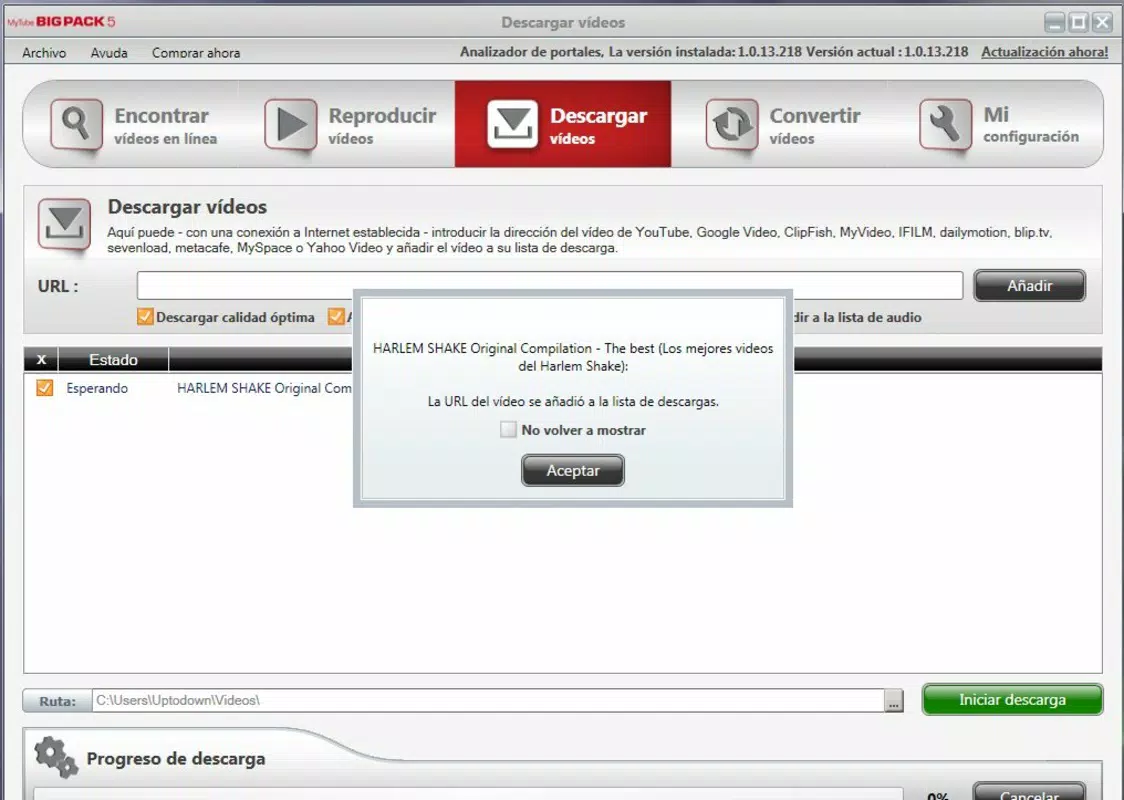
- Seamless Video Downloading: Users can search for videos and queue them directly from results or the in-app player. The downloadable content is managed through an editable list, enabling users to organize and prioritize their downloads efficiently.
- Simultaneous Tasks: MyTube BigPack 5 allows users to watch one video while downloading or converting another. This multitasking capability enhances usability, especially for users managing multiple media tasks in a single session.
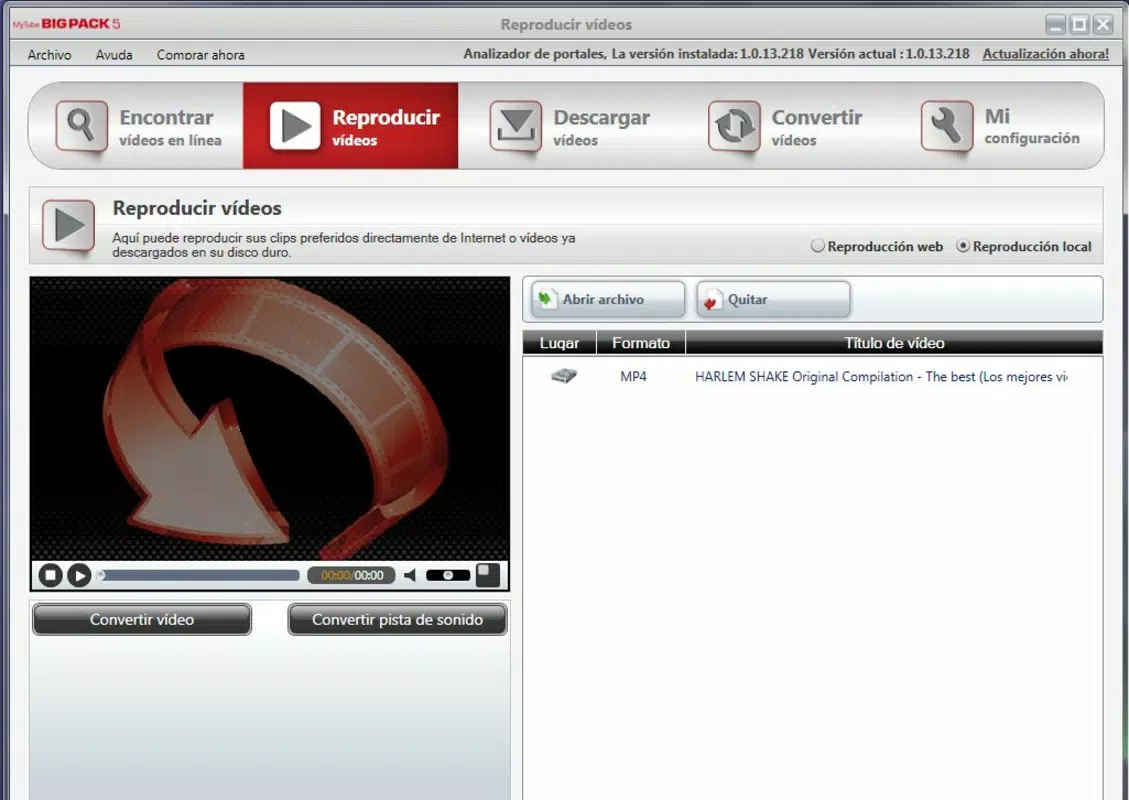
- Built-in Playback: The app includes a preview screen that supports Flash and MP4 playback without requiring additional codecs. This reduces setup complexity and ensures smooth viewing directly within the application.
- User-Friendly Interface: Designed with accessibility in mind, the app presents its core functions—search, download, and convert—in a clear, intuitive layout. The navigation is straightforward, minimizing the learning curve for new users.
For example, a student might use the app to download a lecture video in MP4 format for offline study, then extract the audio as an MP3 for background listening. Similarly, a content creator could convert a long-form video into a shorter audio clip using the built-in converter, saving time on post-production tasks.
Interface, UX & Performance
The user interface of MyTube BigPack 5 reflects a clean, functional design focused on core media operations. Navigation is structured around a central search bar, with quick access to download history, conversion tools, and playlist management. Visual elements are minimal but effective, prioritizing usability over aesthetic flair.
Interaction flows are logical: users initiate a search, select a video, and choose either to watch it immediately or add it to a download queue. The app maintains consistent responsiveness during these transitions, suggesting stable performance across device categories. Although the developer did not list formal performance metrics, the app’s lightweight footprint of 16.8 MB indicates optimized resource usage.
Stability appears to be a key strength, as the app supports concurrent operations such as playback and downloading without noticeable lag or crashes. The interface remains responsive even during heavy processing tasks, which is critical for maintaining user trust in media-heavy applications. However, specific requirements for device performance or OS compatibility were not disclosed.
Platform Compatibility & Technical Requirements
MyTube BigPack 5 is available on the Android platform and requires no additional software installation. The current version is 5.0.2, with a file size of 16.8 MB, making it suitable for devices with limited storage capacity. The app is free to download and install, offering immediate access without subscription or in-app purchase barriers.
The developer did not specify minimum OS requirements or compatibility details beyond the platform. As such, users should verify whether their device meets the necessary conditions for installation. Given the app’s release date of 2013, it may not support the latest Android versions, which could affect long-term usability on newer devices.
Pros and Cons
Pros
- Supports multiple video and audio formats for flexible content management.
- Enables simultaneous playback, downloading, and conversion tasks.
- Includes a built-in player that eliminates the need for external codecs.
- Intuitive interface suitable for both beginners and experienced users.
- Free to download and use with no hidden costs.
Cons
- Specific system requirements were not listed by the developer.
- Compatibility with newer Android versions is uncertain due to the app’s release date.
- Only a single video search is available in the trial version, limiting functionality.
- Limited information on update frequency or long-term support.
- Developer background and official support channels are not publicly detailed.
FAQ
Is MyTube BigPack 5 safe to download and install?
The app is free and available through official channels. However, users should ensure they download it from trusted sources to avoid potential security risks.
Can I use MyTube BigPack 5 on iOS devices?
Currently, the app is only available on Android. No iOS version has been released or confirmed by the developer.
What file formats does MyTube support for download and conversion?
It supports common formats including MP4, FLV, AVI for video, and MP3, OGG, WAV for audio.
How often is MyTube BigPack 5 updated?
The developer has not disclosed the update schedule. Users should check the app store for the latest version.
Does MyTube BigPack 5 require an internet connection?
Yes, an active internet connection is required for searching, downloading, and converting content. Offline playback of saved files does not require connectivity.
Final Thoughts
MyTube BigPack 5 remains a functional and accessible tool for users seeking a straightforward way to download and convert online media. Its support for multiple formats, built-in playback, and multitasking capabilities make it a practical choice for media consumers who value flexibility and efficiency. While the app’s age raises questions about compatibility with modern Android systems, its lightweight design and free availability offer compelling value.
Those who prioritize offline access to videos and audio—such as students, travelers, or content creators—will find the app particularly useful. Despite limited information on updates and technical specifications, its core features deliver reliable performance for basic media management tasks.
Download MyTube BigPack 5 now


